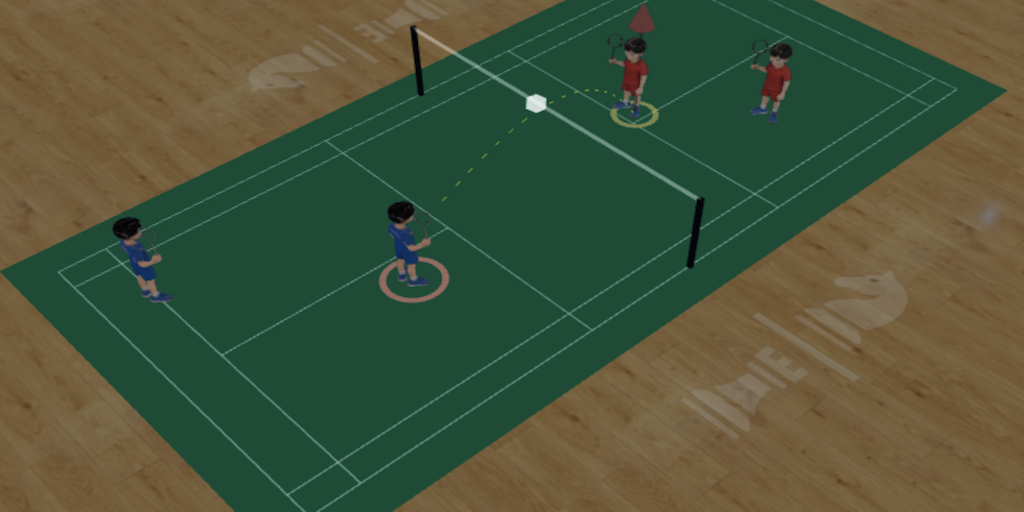
Plan drills, create shot sequences, and visualize strategies in an interactive 3D court. Share with your team instantly — works on any device.
Open the Board
Full 3D badminton court rendered in real-time. Rotate, pan, and zoom to view tactics from any angle. Drag-and-drop players to set up formations.
Build multi-step drill sequences shot-by-shot. Includes a pre-built library with ready-to-use tactics for doubles rotations, singles attacks, and more.
Watch drills auto-play with realistic shuttlecock physics, footwork trails, and synthesized hit sounds. Perfect for studying rally patterns.
Export as PNG screenshots, multi-page PDF documents, or MP4 videos. Share drills via link — recipients can view without an account.
Sign in with email or Google to save drills to the cloud. Access from any device — phone, tablet, or desktop.
Available in English, 中文, 日本語, 한국어, ภาษาไทย, and Bahasa Indonesia. Every player can use it in their language.
Jump straight into training with these ready-made tactical drills — or create your own from scratch.
No download needed. Works instantly in your browser on any device.
Browse the pre-built library or drag players to create your own tactics.
Hit play to see the drill in action. Export as video or share via link.
Join coaches and players from around the world. Free forever, no sign-up required.
Open the Board